Asset Quick Picker
Find the useful media hidden behind one webpage.
- Discipline
- Media discovery · Browser systems · Download workflow
- Platform
- Chrome
- Role
- Product, interaction, interface and development
- Status
- Live · Chrome
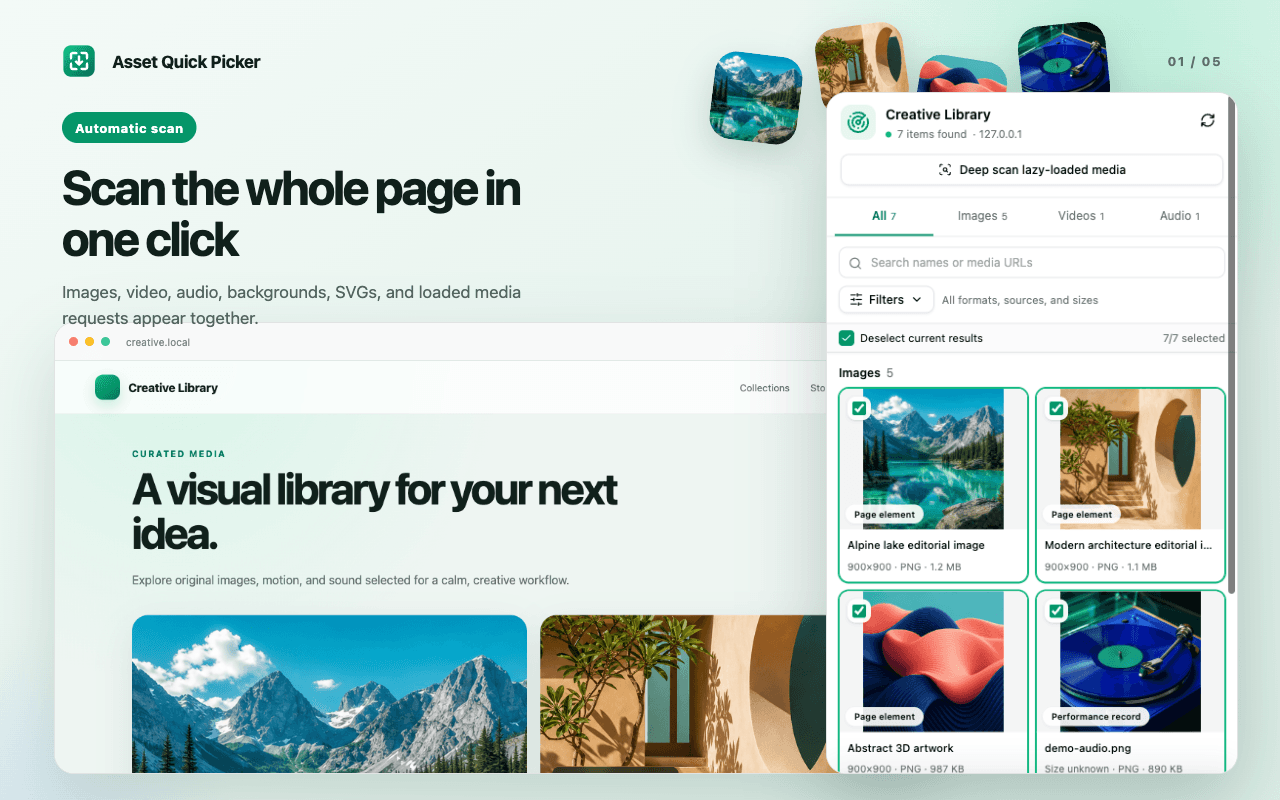
Asset Quick Picker scans page elements, CSS backgrounds, inline SVGs, loaded media requests, and lazy-loaded content. A Side Panel combines preview, search, filters, variant selection, and separate-file or ZIP downloads, while a manual picker handles precise one-off grabs.
Visit live productBehind the surface problem there is usually a harder systems problem.
The same asset may appear through srcsets, lazy loading, CSS, and network requests, often with several resolutions or protected URLs. Large ZIP jobs must also continue after the panel closes without leaving temporary request rules behind.
What I chose — and what I chose not to do.
- 01
Merge DOM and network discoveries into one canonical asset list and prefer the largest useful variant by default.
- 02
Make deep scanning an explicit action that restores the original scroll position when finished or cancelled.
- 03
Move ZIP work into a temporary offscreen document and clean up short-lived Referer rules after each task.
A product is a network of decisions.
No unverified growth numbers — only product capabilities that actually exist.
- Published on the Chrome Web Store with English and Simplified Chinese interfaces.
- Discovers images, video, audio, inline SVG, HLS, and DASH resources.
- Supports search, detailed filters, manual picking, separate downloads, and background ZIP packaging.
Media downloading is really a discovery and provenance problem: users need to know what was found, where it came from, and which version they are keeping.