02Browser Extension
Full Page Screenshot
Capturing is just the start; the hard part is keeping it reliably.
- Discipline
- Extension · Interaction · Export system
- Platform
- Chrome · Edge
- Role
- Product, interaction, visual direction and development
- Status
- Live · Chrome / Edge
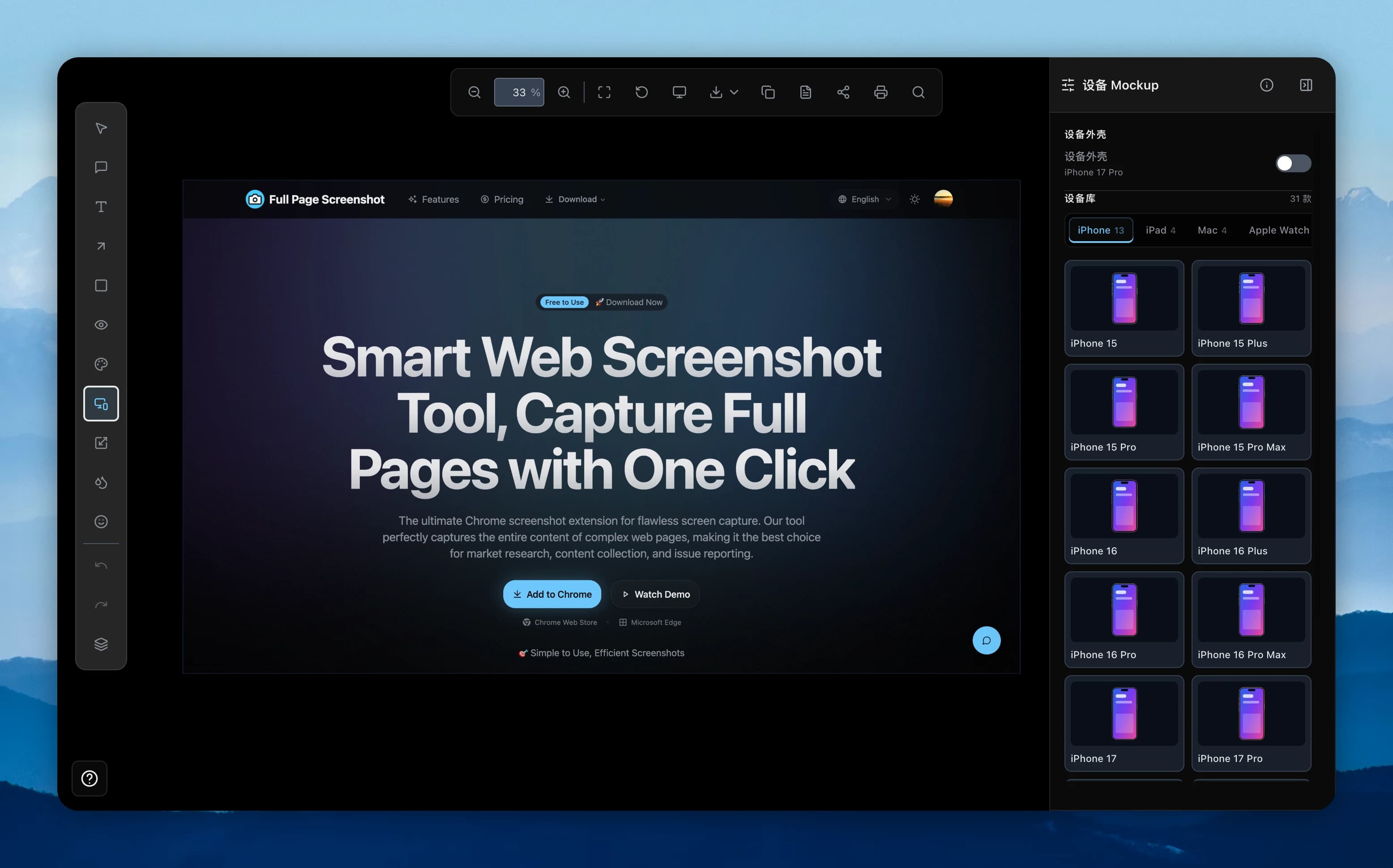
Full Page Screenshot is an in-browser capture and editing system. It supports visible-area, element, region, and long-page capture, then puts annotation, blur, backgrounds, device shells, and multi-format export on the same path after the shot.
Visit live productThe hard part
Behind the surface problem there is usually a harder systems problem.
The page context, the service worker, and the editor page each have their own storage boundaries; extra-long images also run into encoding-size and memory limits.
Key decisions / 03
What I chose — and what I chose not to do.
- 01
Make the extension service worker the single owner of the original capture.
- 02
Encode JPEG in strips and switch oversized WebP to segmented ZIP instead of silently lowering quality.
- 03
Keep frequent editing controls visible and fold low-frequency ones one layer deeper.
Design capabilities
A product is a network of decisions.
Interaction designBrowser systemsEditor UXReliability
What exists now
No unverified growth numbers — only product capabilities that actually exist.
- Ships on Chrome and Edge.
- Covers capture, editing, local history, and PNG, JPEG, WebP, and PDF export.
- Supports long pages, device shells, sensitive-info handling, and resumable edits.
A screenshot looks lightweight, but reliable capture, persistence, and export is a cross-context systems design.