Visor
Turn the rendered page into the design workspace.
- Discipline
- Visual inspection · Design systems · Frontend
- Platform
- Chrome 116+
- Role
- Product, interaction, visual direction and development
- Status
- Live · Chrome
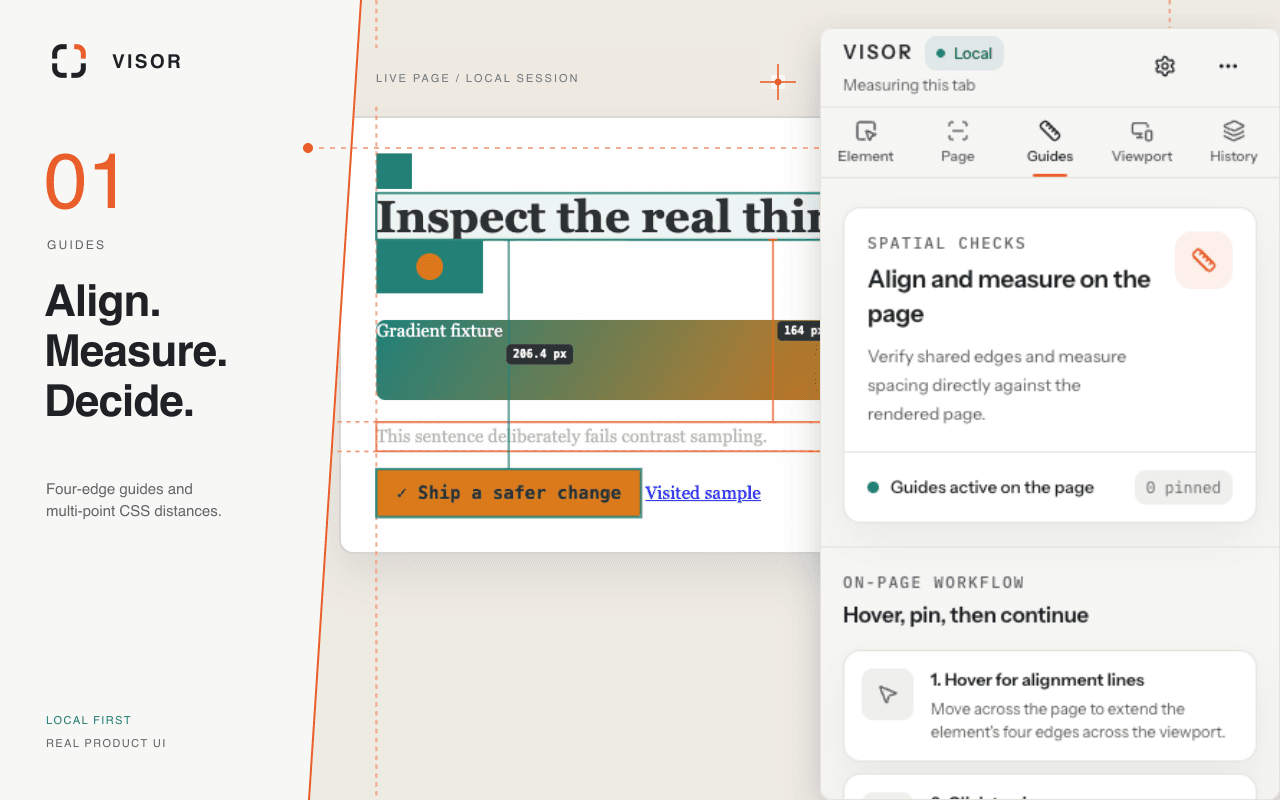
Visor turns Chrome’s Side Panel into a local visual workspace for designers and frontend engineers. It measures the real page, inspects authored and rendered CSS, tests responsive sizes, audits colors, type and assets, and packages changes for handoff.
Visit live productBehind the surface problem there is usually a harder systems problem.
A visual inspector needs deep page access, yet it should not become permanent page code or make silent edits. Measurements, viewport changes, audit results, and reversible CSS also cross several browser contexts.
What I chose — and what I chose not to do.
- 01
Inject the inspector only after an explicit click or shortcut, with no required host permission or persistent content script.
- 02
Keep Review read-only and require a deliberate switch to Adjust before changing an allowlist of visual CSS properties.
- 03
Treat undo, redo, reset, and CSS or JSON export as part of the editing model rather than cleanup features.
A product is a network of decisions.
No unverified growth numbers — only product capabilities that actually exist.
- Published on the Chrome Web Store in English and Simplified Chinese.
- Measures alignment and distance, inspects CSS states, and tests exact responsive viewports.
- Audits tokens, gradients, contrast, type, and assets, with palette and handoff exports.
Inspection tools earn trust by making activation, local changes, and restoration as visible as the design information they reveal.